Electronic Circuits and Projects Forum


Double sided PCBs in Eagle

1 2 Last »
Results 1 to 10 of 11
Reply to Thread
  1. #1
    Electronics4you
    Electronics4you is offline

    Default Double sided PCBs in Eagle

    Hi there,

    Doing double sided PCBs in CAD software like Eagle or Electronicsworkbench makes som problems for the hobbyist with no access to through hole plating machinery. When autorouting a double sided PCB the software make holes for components into vias. It means that you either have to make through hole plating to get the proper connection between the layers or solder the components on both sides. The first technique is quite expensive (and time-consuming) and the other a very bad idea.

    Is it possible to set-up the software so that it doesn't use holes as vias, so the connections between the layers can be done with a piece of wire?

    If that's not possible, could anyone then tell me how to make my own via on a PCB trace and make my own PCB traces manually, so I can manually solve the problem after autorouting?

  2. #2
    justDIY
    justDIY is offline
    Quote Originally Posted by Electronics4you
    It means that you either have to make through hole plating to get the proper connection between the layers or solder the components on both sides. The first technique is quite expensive (and time-consuming) and the other a very bad idea.
    why is it 'very bad' to solder components on both sides?

    If that's not possible, could anyone then tell me how to make my own via on a PCB trace and make my own PCB traces manually, so I can manually solve the problem after autorouting?
    I've never used the autorouter, even on complex double sided boards ... there's a certain sense of accomplishment to doing it yourself, not to mention the micromanager in me loves the fiddley work.

    use the ROUTE command to draw your own traces, it looks like two green dots connected with a red line
    If you don't have a planet, what good are gold bars?

    want to contact me directly? gmail gordonthree
    check out my project website: http://projects.dimension-x.net
    Favorite numbers:
    09 F9 11 02 9D 74 E3 5B D8 41 56 C5 63 56 88 C0

  3. #3
    mramos1
    mramos1 is online now
    If you close the schematic and leave the board open, you can do anything you like to the board (Eagle stops trying to go back to the schematic).

    Sometime you have to use the group tool to move things though. You just can not annotate back to the schematic at that point (so your schematic better be done at that point). I friend of mine goes in, makes an empty schematic, click PCB, closes the schematic and does the whole thing in PCB mode.

    Me, I do schematic and then PCB and then leave pleny of space, LET Eagle route it, and shrink it all up. I am not a PCB guy and normally in a hurry. And I have learned enough to do it by hand, but time is short for me

  4. #4
    Electronics4you
    Electronics4you is offline
    Soldering components on both sides is hard to do without buring som components especially on close component boards. The un-soldering proces is even harder to accomplish.

    I'm always in a hurry, and don't have the time (even if I want to do PCB routing all day) to do it, because the development and analysis of the circuit afterwards is a heavy job.

    Can you just make a via where you want and then move the "left-over trace" to the next layer?

  5. #5
    mramos1
    mramos1 is online now
    Quote Originally Posted by Electronics4you
    Soldering components on both sides is hard to do without buring som components especially on close component boards. The un-soldering proces is even harder to accomplish.

    I'm always in a hurry, and don't have the time (even if I want to do PCB routing all day) to do it, because the development and analysis of the circuit afterwards is a heavy job.

    Can you just make a via where you want and then move the "left-over trace" to the next layer?
    If you close the schematic windows you can alter the PCB in any way you like. I do boards all the time where I close the schematic and drop larger pads over the old small ones all the time, because I (am lazy) did not search the forum here to see how to set and save the defaults

  6. #6
    kchriste
    kchriste is offline
    You can tell eagle how many vias it's allowed to use to minimize it going nuts with the autorouter (Tools/Auto). Then you can "tear up" any traces you don't like and route them yourself.
    You can also just tell eagle to do a single sided board only (Tools/Auto) by setting N/A as the top layer. Then you can just add pads for the unrouted traces for topside jumper wires.
    Inside every little problem, is a big problem trying to get out.

  7. #7
    justDIY
    justDIY is offline
    when you're using the ROUTE command, you can change layers on the fly, and eagle will automatically generate a via at that location. When I'm in a rush, I use this method, instead of specifying jumpers in the schematic.
    If you don't have a planet, what good are gold bars?

    want to contact me directly? gmail gordonthree
    check out my project website: http://projects.dimension-x.net
    Favorite numbers:
    09 F9 11 02 9D 74 E3 5B D8 41 56 C5 63 56 88 C0

  8. #8
    john blue
    john blue is offline
    Easy Home made vias for double sided pcb


    Double layer pcb home made vias | YourITronics

  9. #9
    tvtech
    tvtech is online now
    Quote Originally Posted by john blue View Post
    Easy Home made vias for double sided pcb


    Double layer pcb home made vias | YourITronics
    Old thread but a nice trick for the hobbyist etching his own double sided PCB's.

    LOL at "sewing" the via's.....

  10. #10
    Boncuk
    Boncuk is offline
    You can route manually using jumps.

    Before routing you should determine via shape, diameter and drill size.

    For easiest vias to solder wire use shape octagon, diameter 1.6002mm (standard pad diameter for DIL-packages) and drill size 0.8128mm.

    Start routing on the solder side (bottom layer) until you reach a position where the jump should start. Click 'Change' -> 'layer' and select top. Continue routing until getting to the final position of the jump. Change layer back to bottom and finish the trace.

    There is no need to use vias in the schematic.

    If you rip up a trace consisting of bottom and top layer the vias will also be erased.

    Plan to draw the top layer trace as a straight line always using a straight wire for the jump.

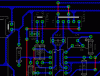
    Here is an example of jumps.

    Boncuk
    Attached Images
    I'm not a complete idiot. Some parts are still missing.

1 2 Last »
Reply to Thread

Similar Threads

  1. Double sided copper boards
    By Screech in General Electronics Chat
    Replies: 10
    Latest: 26th February 2007, 08:02 AM
  2. :: Double Sided PCB - Never Made 1 Before ::
    By suby786 in General Electronics Chat
    Replies: 4
    Latest: 26th November 2006, 09:12 PM
  3. Eagle - How to make Single Sided PCB
    By elexhobby in Electronic Projects Design/Ideas/Reviews
    Replies: 5
    Latest: 14th October 2005, 04:24 PM
  4. Difference between double sided PCB and 2 layer PCB
    By darvaish in Electronic Projects Design/Ideas/Reviews
    Replies: 2
    Latest: 10th March 2005, 05:32 PM
  5. how to solder properly tight areas for double side pcb's?
    By spyghost in Electronic Projects Design/Ideas/Reviews
    Replies: 8
    Latest: 23rd April 2004, 01:02 AM