Electronic Projects, forums and more.

Go Back   Electronic Circuits Projects Diagrams Free > Electronics Forums > General Electronics Chat


General Electronics Chat This forum is for general chat about electronics, eg: Dont know what a part does? Dont know how to read a circuit? Want to get an opinion?

Reply
 
Tools
Old 26th June 2009, 10:43 PM   #1
Smile DIY Toner Transfer Paper (cheap and easy))

I have been experimenting for a few days trying to come up with a simple and cheap solution.
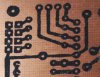
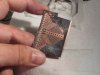
My new method uses ordinary wax paper (think old fashioned sandwich wrap), print on the side that it is curling to-wards. Makes a fantastic print.
Transfer as usual and let the PCB cool down so that you wont burn yourself. Then soak the wax paper with rubbing alcohol for a minute or so. I just dabbed it on with a small rag, then peal it off slowly. No residue on the PCB at all!
My first try was close to perfect!
Material cost next to nothing and all is redly available just about anywhere in the world.

Enjoy and have fun all you tinkerers.

Rolf
Attached Thumbnails
DIY Toner Transfer Paper (cheap and easy))-p6260425-ss-wax-paper-transfer.jpg  

Last edited by Rolf; 27th June 2009 at 12:33 AM.
Rolf is offline  
Old 26th June 2009, 11:04 PM   #2
Default

Damn, I just printed out two designs on regular photo paper about an hour ago. I'm going to try out the wax paper instead, but I likely wont get to it until tomorrow morning.

Thanks.
__________________
Mark Higgins
DirtyLude is offline  
Old 26th June 2009, 11:08 PM   #3
Default

Hi,

That sounds good, will have to give it a try instead of the magazine paper which can vary unless you keep the same mag all the time.

Last edited by Wp100; 26th June 2009 at 11:11 PM.
Wp100 is offline  
Old 26th June 2009, 11:16 PM   #4
Default are you using laser or inkjet??

if using inkjet the ink will disolve in the etching solution.
sounds like a novel idea with the wax paper
MrDEB is offline  
Old 26th June 2009, 11:44 PM   #5
Default

The wax paper doesn't leave deposits on the printer drum or fuser and make ghosts on subsequent documents?

[edit] I can see how wax paper can make two sided registration a lot easier. [/edit]
__________________
de KI6RWX

Last edited by mneary; 26th June 2009 at 11:49 PM.
mneary is online now  
Old 26th June 2009, 11:54 PM   #6
Default

Is this the brown waxed paper, which I think is waxed on one side only, or the regular translucent stuff which I believe is waxed on both sides?
ditto on mneary's question.
__________________
Inside every little problem, is a big problem trying to get out.

Last edited by kchriste; 26th June 2009 at 11:54 PM.
kchriste is offline  
Old 27th June 2009, 12:37 AM   #7
Default

Quote:
Originally Posted by kchriste View Post
Is this the brown waxed paper, which I think is waxed on one side only, or the regular translucent stuff which I believe is waxed on both sides?
ditto on mneary's question.
It is not the brown but what we would call translucent.
I have not noticed any ill effects on my regular papers print quality.

Last edited by Rolf; 27th June 2009 at 12:38 AM.
Rolf is offline  
Old 27th June 2009, 12:46 AM   #8
Default

It sounds like you are on to something.

Does the alcohol dissolve the wax ?

It may work with just the wax paper brand you are using or a group of brands.
__________________
Please post questions to the forums. PM's are for personal communication.

BCHS/3v0's Tutorials
Junebug USB PIC programmer kit., USB Bit Whacker,
The 15 Minute Printed Circuit Board! (+drill time)
3v0 is offline  
Old 27th June 2009, 01:05 AM   #9
Default you remove the wax before etching

I assume.
But does the inkjet ink disolve or are you using a laser printer??
I am going to have to try this
MrDEB is offline  
Old 27th June 2009, 01:15 AM   #10
Default

You must use a laser printer to do toner transfer.

Quote:
Originally Posted by MrDEB View Post
I assume.
But does the inkjet ink disolve or are you using a laser printer??
I am going to have to try this
__________________
Please post questions to the forums. PM's are for personal communication.

BCHS/3v0's Tutorials
Junebug USB PIC programmer kit., USB Bit Whacker,
The 15 Minute Printed Circuit Board! (+drill time)
3v0 is offline  
Old 27th June 2009, 01:17 AM   #11
Default

Quote:
Originally Posted by 3v0 View Post
It sounds like you are on to something.

Does the alcohol dissolve the wax ?

It may work with just the wax paper brand you are using or a group of brands.
"It sounds like you are on to something."
I hope so.

"Does the alcohol dissolve the wax ?"
It must because it doesn't work with plain water, hot or cold. I meant to try 90 prof but forgot to look at the label. I knew that alcohol doesn't dissolve the toner.

"It may work with just the wax paper brand you are using or a group of brands."
I am hoping others will try so we can find out.
Rolf is offline  
Old 27th June 2009, 01:25 AM   #12
Default

I would be a little concerned about the wax melting when it goes though the printer since wax typically melts at 50C where as the fuser temp can go as high as 200C. I'll see if anyone else tries it first.
What brand of wax paper and laser printer are you using?
__________________
Inside every little problem, is a big problem trying to get out.
kchriste is offline  
Old 27th June 2009, 01:39 AM   #13
Default

There are many types of waxes.

IIRC the coating used on wax paper is not wax and it may vary with who made the paper.
__________________
Please post questions to the forums. PM's are for personal communication.

BCHS/3v0's Tutorials
Junebug USB PIC programmer kit., USB Bit Whacker,
The 15 Minute Printed Circuit Board! (+drill time)
3v0 is offline  
Old 27th June 2009, 02:16 AM   #14
Default

I couldn't find my wax paper, so I tried Parchment Paper, which has a silicon coating. I tried two boards. One I let cool after ironing and the paper peeled off leaving all sorts of spots. Second one I peeled off while it was still warm and it seemed to work fine, but when I went to use a marker to touch up and empty edge, I found the toner wasn't really stuck to the board well.

So Parchment Paper is a fail.

I managed to find my wax paper. I've printed off a design. I'm going to clean off the old board and try to iron it on. It goes through the printer without any issues and leaves a clean print on the wax paper.
__________________
Mark Higgins
DirtyLude is offline  
Old 27th June 2009, 02:55 AM   #15
Default

Quote:
Originally Posted by DirtyLude View Post
I couldn't find my wax paper, so I tried Parchment Paper, which has a silicon coating. I tried two boards. One I let cool after ironing and the paper peeled off leaving all sorts of spots. Second one I peeled off while it was still warm and it seemed to work fine, but when I went to use a marker to touch up and empty edge, I found the toner wasn't really stuck to the board well.

So Parchment Paper is a fail.

I managed to find my wax paper. I've printed off a design. I'm going to clean off the old board and try to iron it on. It goes through the printer without any issues and leaves a clean print on the wax paper.
This evening I tried some freezer paper, it seems to have some kind of plastic coating on one side only. I got a partial transfer that looks sharper than the ones from the wax paper. Have not completely solved the transfer or the paper removal yet. But it looks promising.
Will try to find some time over the week end to do some more tests.

By the way, the rubbing alcohol I used was 50% alcohol.

Last edited by Rolf; 27th June 2009 at 03:04 AM.
Rolf is offline  
Reply

Tags
cheap, diy, easy, paper, toner, transfer

Thread Tools
Display Modes


Similar
Title Starter Forum Replies Latest
PCB toner transfer Badar General Electronics Chat 58 16th July 2009 02:40 PM
Toner Transfer paper, UK HerbertMunch General Electronics Chat 15 1st December 2007 04:01 PM
Toner Transfer PCB... Possible on this? Franknstein Electronic Projects Design/Ideas/Reviews 23 11th July 2007 08:20 PM
toner transfer with silicone impreg paper justDIY General Electronics Chat 28 13th March 2007 11:33 PM
toner paper nye Electronic Projects Design/Ideas/Reviews 8 27th October 2006 10:23 PM


All times are GMT. The time now is 06:12 AM.


Electronic Circuits  |  Learning Electronics
eXTReMe Tracker